
What is an Addon Domain? #
Addon domains allow you to control multiple domains from a single cPanel account. An addon domain links a new domain name to a subdirectory of your account’s home or public_html (document root) directory and then stores its files in that subdirectory.
Once an additional domain has been created, you can create email addresses and FTP accounts based on these new addresses.
How to create an addon domain in cPanel #
This tutorial assumes that you’re using the Jupiter theme for your cPanel account.
1) Log in to your cPanel. There are several ways to do this, but the easiest method is to log in to your ClientArea and then open your cPanel.
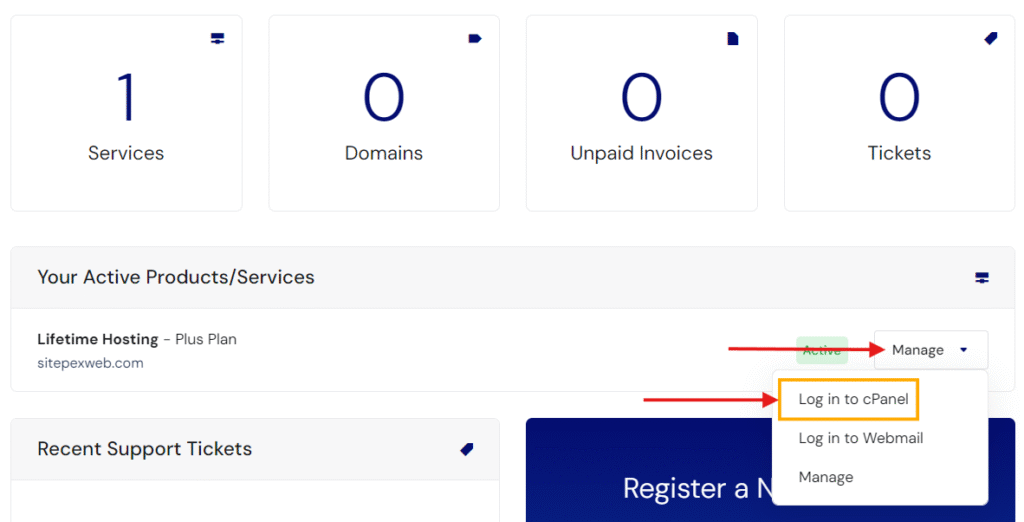
SitePex Clientarea > Manage > Log in to cPanel
2) Once your cPanel opens, locate the ‘DOMAINS’ section and click the Domains icon.
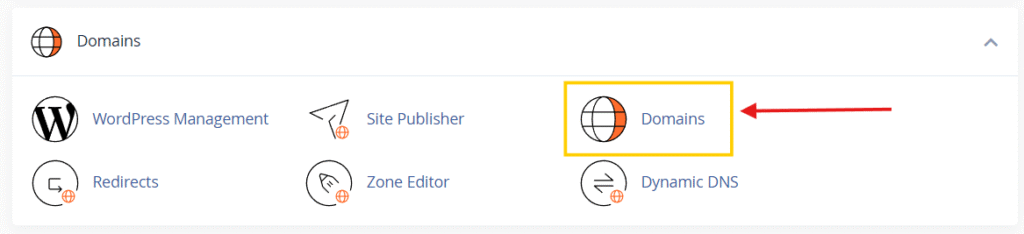
3) Click on the Create A New Domain button.

4) Enter the following information:
- Domain: enter the add-on domain that you want to add.
- Document root: leave the checkmark empty for the Share document root option.
- Home icon: choose a subdirectory for it in your account’s home directory (above public_html). This subdirectory will store your add-on domain’s files.
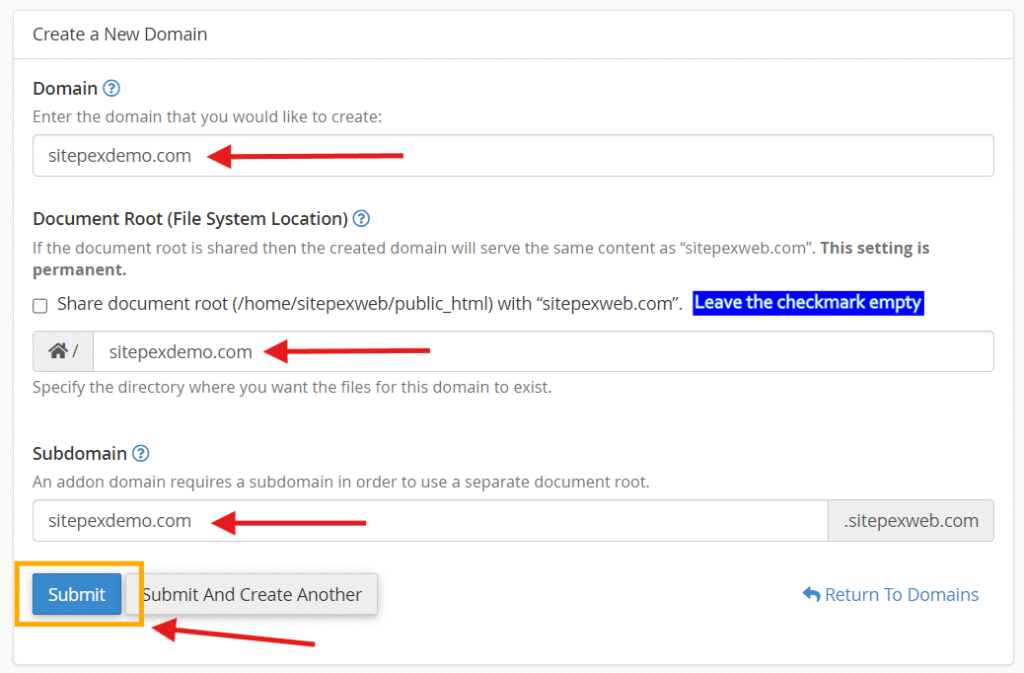
By default, cPanel automatically fills in the details for the subdomain and document root. You can either leave them as the default or modify the information.
4) The last step is to click Submit button. The subdomain will be created.
From the cPanel > Domains area, you can see the list of addon domains under your main account, and you can manage or delete these addon domains anytime needed.
That’s it! You now know how to create subdomains in cPanel.
If your domain is registered with us, there’s no DNS change to be made. However, if your domain is registered with a different provider, make sure that your domain points to SitePex nameservers.
That’s it! You now know how to create addon domains in cPanel.


